For realtors
The closing gift your buyers use every week
Most closing gifts are used once, and most home apps start empty and get forgotten. Keys in Hand is the owner’s manual for their new house, set up by you, with your name on it for years.
A gift that keeps you in their life
It isn't a CRM: keep your pipeline where it is. Keys in Hand is a service for your buyers that keeps you in their lives.
Your page in their house
Your headshot and card under your team's logo, always current, one tap from their Home.
Notes after closing
An anniversary note you set once at handoff, or the settlement statement at tax time. Limited on purpose: up to four a month, and buyers can turn them off.
Your recommended pros
Your go-to plumber and electrician, marked as recommended by you, right where buyers look when something breaks.
A head start at the next sale
Years of documented care, ready when they list again. And when a friend asks who they used, you're the answer.
Set up from the paperwork you already have
Drop in the documents from the deal and walk the house with your phone. AI reads it all and proposes the house record; you check it and tap Save.
From your laptop
- Listing sheetAddress, list price, MLS number and the house details.
- Inspection reportEvery finding becomes a task or project, plus the appliances and systems it mentions.
- County property reportParcel number, zoning, lot size, flood zone and school district.
- SurveyProperty lines, corner pins and easements on the property map.
- Photographer's photo packetThe listing photos you choose, the front photo as the house photo, and each floor plan as a floor with its rooms named and outlined.
From your phone, walking the house
- Appliance labelsBrand, model, serial number and age, for every appliance.
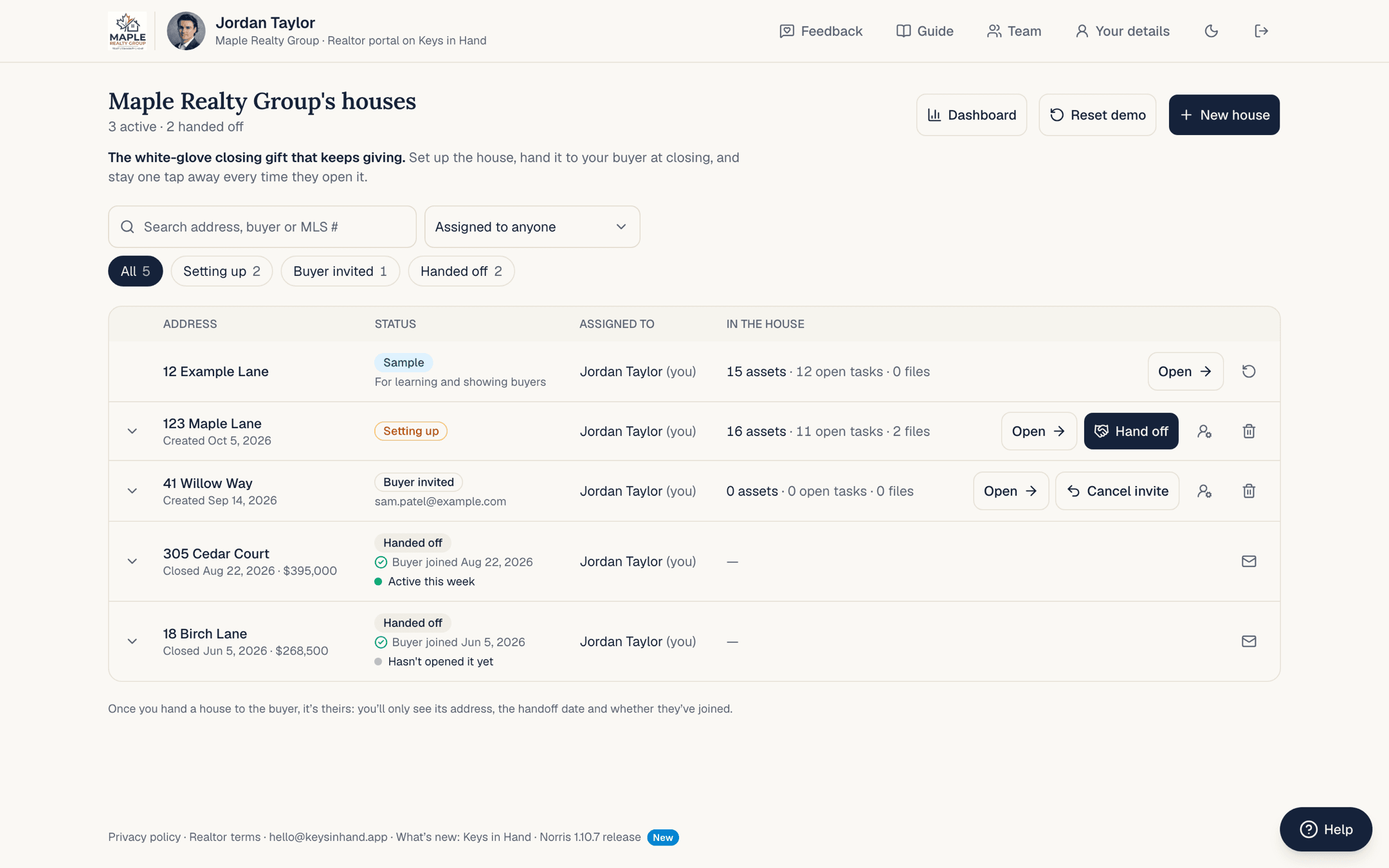
- Breaker panel labelEvery breaker and what it powers, from one photo.
- Floor planEach room traced along its own walls, so buyers can tap a room to see what's in it and its listing photos.
- Several documents at once
- Nothing saved until you review it
- Already recorded? Recognized, not duplicated
- Every detail links to where it came from
Your first house, in five steps
Paperwork on a laptop, scanning on a phone. A setup guide walks you through each step, inside the house.
- 1
Create the house
Start from the MLS listing sheet: AI fills in the address, list price and MLS number.
- 2
Import the paperwork
Pick the inspection report, listing sheet and photographer's photo packet together. AI proposes the details, appliances, every finding as a task, and the listing photos and floor plans. You review and save.
- 3
Walk the house with your phone
Snap the breaker list and each appliance label. Rooms on the floor plan are traced along their walls; tap one to fix it, or drag it into place.
- 4
Add the care plan and your pros
Pick the maintenance that fits the house from templates, and add your team's recommended pros in one tap.
- 5
Hand it off at closing
Enter the buyer's email and a short welcome note. The first thing they see is your logo and your words.
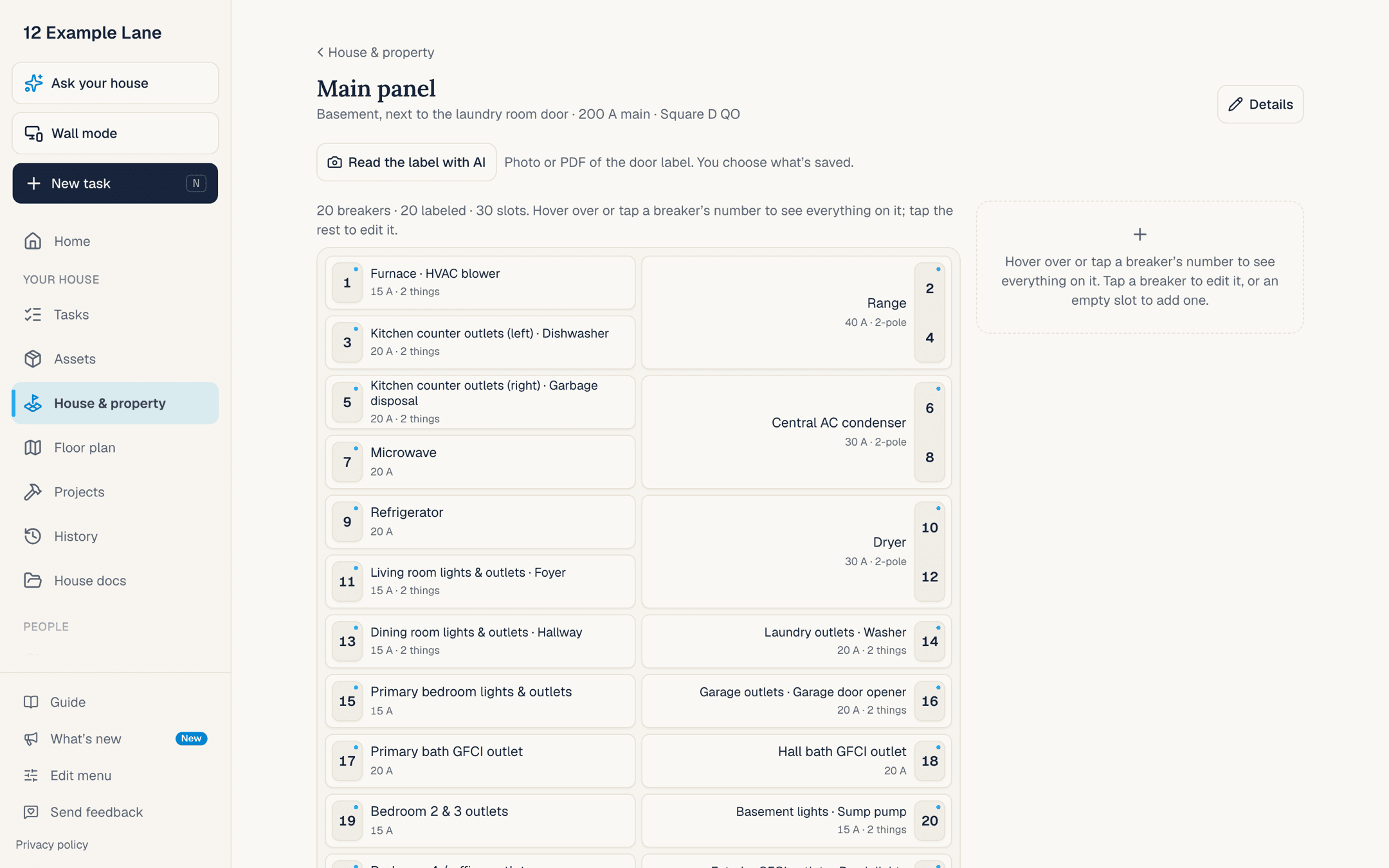
Every house your team is setting up, in one place
Every house your team sets up, hands off and stays in touch with, in one place.
Every house in one list
Setting up, invited and handed off, searchable by address, buyer or MLS number.
The whole team
Invite realtors, assign each house, and reassign when someone leaves.
Your brand
Team logo, headshots and one shared list of go-to pros for every house.
Help is built in: the realtor guide, and a Help chat in your portal that answers how-to questions.
Their house is theirs
After handoff you see the address, the handoff date, that your buyer joined and, unless they turn it off, roughly when the house was last used. Never what's inside. No ads, no referral fees, nothing sold. That's what makes it a gift they keep using.
Get in early, and help shape what we build
- Founding team terms. Early teams get special terms for joining first; we’ll walk you through them on the demo.
- Hands-on help. We help you set up your first houses and get your team comfortable.
- A direct line to the builders. Feedback from your portal comes straight to us, and many recent features came from realtors.
We’re onboarding teams by invitation. Tell us about yours and we’ll set up a quick demo.
Request access