How it works
Set up before closing. Yours for as long as you own the house.
Your realtor does the setup from the paperwork they already have. You get a house that's documented on day one, and an app that keeps it that way.
- 1
Your realtor sets it up
Before closing, your realtor creates the house and imports the listing, the inspection report and the listing photos and floor plans. AI proposes the appliances, details and a task for every inspection finding; your realtor reviews each one.
- 2
They walk the house with a phone
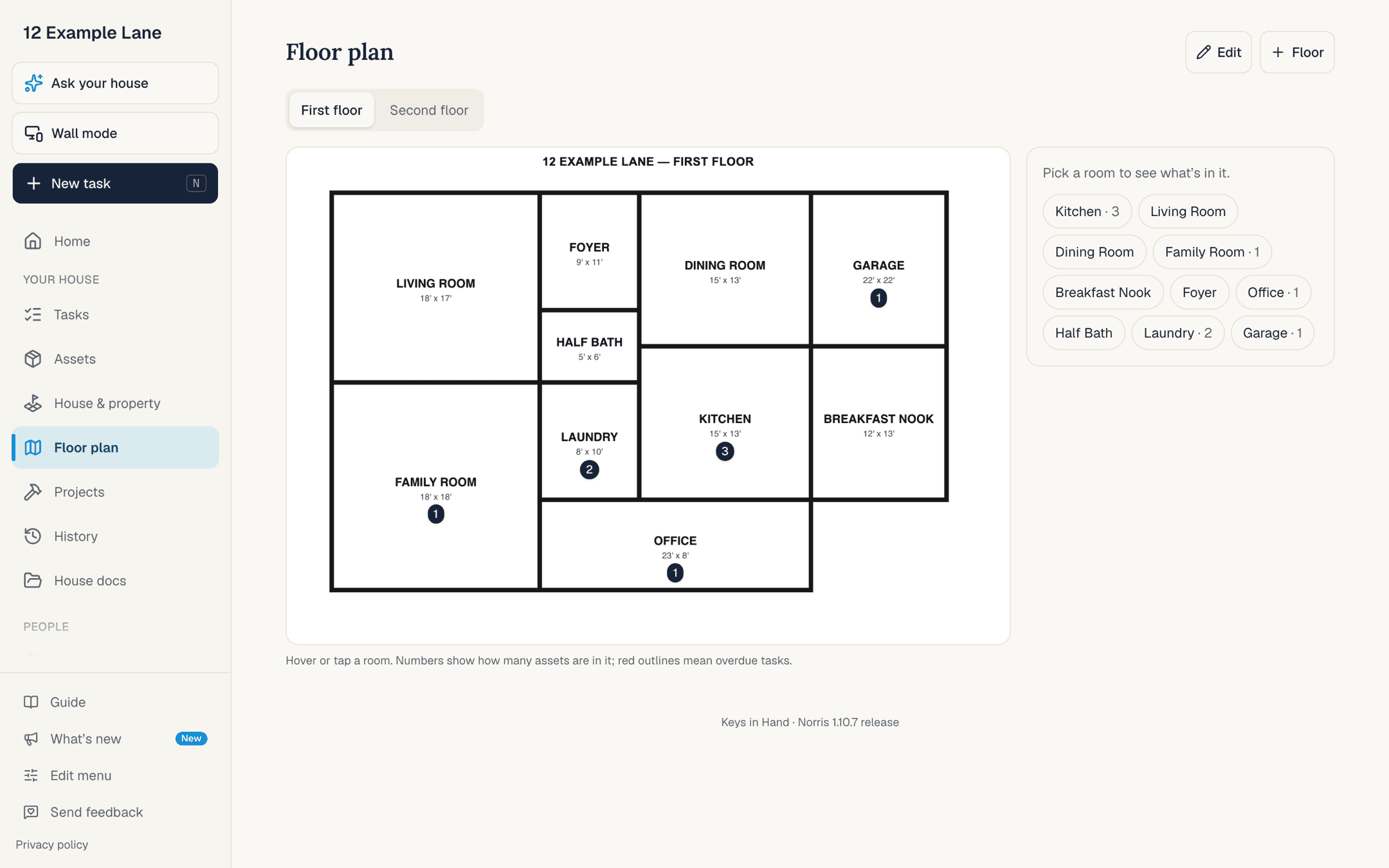
A photo of the breaker list maps every breaker. A photo of each appliance label fills in its brand, model, serial and age. The floor plan becomes rooms you can tap, each with its listing photos.
- 3
You get the keys, and the house
At closing you get an email invite with a welcome note. Accept it and the house is yours: private, with your realtor removed from what's inside.
- 4
It reminds you, every season
A care plan that fits your house, with how-to steps. Mark something done and the next one is scheduled.
- 5
The record grows
Repairs, projects, receipts and warranties go in as they happen. Snap a receipt and AI fills in the item for your home inventory.
- 6
Ready for the next chapter
An insurance claim, a contractor's question, or the day you sell: years of documented care, in one place.
Your house, already documented
The floor plan with every room, where the shutoffs are, every breaker, every appliance with its warranty and manual, and the inspection findings as a plan.
Good to know
- How do I get Keys in Hand?
- From your realtor, at closing. If your realtor doesn't offer it yet, tell them about us, or email hello@keysinhand.app: we're inviting a small number of homeowners during early access.
- What does it cost me?
- Nothing for homeowners during early access.
- Can my realtor see my house after closing?
- No. After handoff your realtor sees only the address, the handoff date, that you joined and, unless you turn it off, roughly when the house was last used. Never what's inside. They can still send you a note, up to four a month, and you can turn those off.
- Can my partner or family use it too?
- Yes. Invite anyone in your household from Settings → People. Everyone signs in with their own email.
- Is there an app to download?
- No download needed. Open keysinhand.app on your phone and add it to your home screen: it opens full screen, like an app. It works on a laptop too.
- What if I sell the house or stop using it?
- Your records stay with the house and its owners. Ask us anytime for a copy of everything, photos and documents included.